
Choosing a phishing test program often starts with a demo and ends with a purchase order, but the gaps show up months later. Templates look stale, reports take hours to assemble, staff cannot work out how to flag a suspicious email, and every new client or department means another round of manual setup. A short evaluation before rollout prevents most of that regret.
Smaller teams feel the pain most. Without a dedicated security analyst, the person running the program is usually an IT generalist with other duties, so tools that demand daily attention tend to be neglected within a quarter.
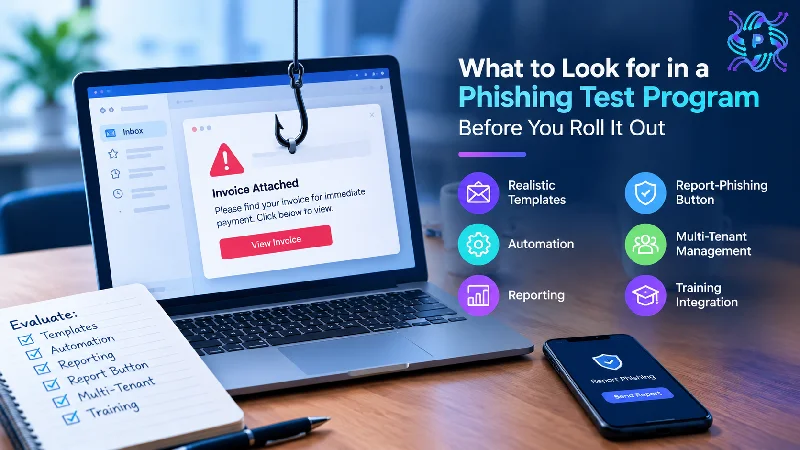
The sections below cover six areas worth examining: template realism, automation, reporting, the report-phishing button, multi-tenant management, and training integration. Each includes tests that can be run during a trial, so the final decision rests on observed behavior rather than a vendor’s slides.
Template Realism and Variety
Templates are the heart of any program. A good library mirrors messages employees actually receive: invoices, calendar invitations, shared files, delivery notices, password prompts, and requests that seem to come from a manager. Ask how often the provider updates the library, because attack styles change and templates that mimicked popular services three years ago may now look outdated.
Customization matters as much as volume. Look for control over sender names, logos, signatures, and wording, along with landing pages that resemble real sign-in screens without collecting real passwords. Local details, such as a client’s actual file-sharing tool or an executive’s name, make a lure far more convincing. Difficulty ratings help match a template to the audience.
Variety of technique deserves a check. Links, attachments, reply-based requests, and QR codes each test a different habit. Confirm that messages render correctly on phones and in webmail, because formatting glitches reveal a test for the wrong reasons. Also confirm that sensitive topics, such as layoffs or health alerts, can be blocked, since realism should never become cruelty.
Ask for sample reports on template performance too. Knowing which lures drew the most clicks across customers, and which drew the most reports, shows whether the library is tuned to current threats or simply padded with variations of a single idea.
Platform Criteria: Automation and Reporting
Beyond templates, a phishing simulation platform should reduce weekly manual work. Automation covers scheduled campaigns, randomized send times so staff cannot warn each other, automatic enrollment of new employees through directory sync, and removal of departed ones. It also covers follow-up actions, such as assigning a short lesson to anyone who clicks. Without these features, the program depends on someone remembering each step.
Reporting is where many tools fall short. The platform should show click rate, report rate, time to first report, and repeat behavior, broken down by department, role, or location, and compared against a baseline over time. Exports should be usable by people who are not analysts. A phishing simulation platform that cannot produce a clear executive summary in a few minutes will quietly cost hours each quarter.
A practical test is to build a mock report during the trial. Pick a fictional client or department, run a small campaign, and see how quickly the data turns into something shareable. Ask whether numbers can be filtered to remove false clicks from automated link scanners. When evaluating any phishing simulation platform, repeatability matters more than the number of features listed.
Add scheduling flexibility to the checklist, too. Campaigns should run across time zones, skip holidays, and pause quickly during a real incident, without the administrator rebuilding the whole plan each time.
The Report-Phishing Button
The button is the most overlooked feature and often the most valuable. Simulations are only half the goal; the other half is teaching staff to report. A report button inside the mail client, available on desktop, webmail, and mobile, gives employees a one-click action and gives the security team a steady stream of data.
Check how the button behaves. It should record a report against a simulation, and it should forward genuine suspicious messages to a designated mailbox or ticketing system with headers intact. Distinguishing between the two is essential: a simulated message should generate praise, while a real one should reach analysts. Employees should receive an acknowledgment immediately, not silence.
Compatibility needs a test. Confirm that the button installs cleanly on the email platforms the organization uses, that it can be deployed centrally, and that it works on mobile apps. Compare it to the alternative of asking staff to forward messages as attachments, which is slower, error-prone, and rarely survives busy days.
Granularity of data deserves a question. The best implementations show who reported, how fast, and whether the message was simulated or genuine, in a form that can be exported or integrated with the ticketing system. Privacy settings also matter, since some organizations prefer reports attributed only to groups rather than named people.
Multi-Tenant Management for Providers and Large Groups
Organizations with subsidiaries and providers serving many clients need separation between environments. Multi-tenant management means each client or business unit has its own users, templates, schedules, and reports, all reachable from one console. Without it, the team has to log in and out of separate accounts or export spreadsheets.
Several features indicate a mature platform: role-based access that limits technicians to assigned clients, campaign copying across tenants, bulk user imports, and reporting for individual tenants or combined environments. Data isolation matters, too, since one client’s results should never leak into another client’s dashboard. Branding options, such as the client’s name on reports, help presentation.
Test this with two sample tenants during the trial. Create different schedules for each, run a campaign, and check how long it takes to switch context and generate separate reports. Licensing deserves a look too. Choose pricing that scales with each client’s size so adding a small business with just ten employees doesn’t significantly increase costs.
White-labeling and client-specific scheduling also deserve a look. A provider presenting results to a client prefers the client’s name on the report and a calendar that respects that client’s busy periods. Ask how the platform allows teams to share templates and settings across tenants while customizing them for individual clients without affecting others.
Training Integration and a Pilot Checklist
A simulation without follow-up is only a measurement. Strong programs link a click to a short, relevant lesson delivered in the moment and connect reporting to positive reinforcement. Ask whether the platform includes its own training content or integrates with an existing learning system, and whether assignments, reminders, and completion tracking run automatically.
Before committing, run a pilot with a small group and work through a checklist:
- Send three templates of different difficulty and confirm delivery to inboxes, not spam folders.
- Test the report button on desktop and mobile with real and simulated messages.
- Trigger a click and review the immediate lesson page for tone and clarity.
- Generate a summary report and time how long it takes to produce.
- Add and remove a user to check automatic enrollment.
- Ask support a technical question and note how quickly it is answered.
Pilot feedback from participants counts too. If employees found the lesson page patronizing or the button confusing, adoption will suffer no matter how good the dashboard looks.
Finally, consider the exit. Ask how the organization can export data when switching tools, how long the provider retains records, and how it handles user data after the contract ends. A program that traps its own history makes later changes painful.
READ: Contact PlugboxLinux Complete Guide to Support, Community & Help
Final Analysis
A phishing test program earns its place through everyday usability, not feature lists. Realistic and customizable templates give the exercise credibility, automation keeps it running, reporting turns activity into decisions, the report button builds the habit that stops real attacks, and multi-tenant controls keep multiple groups manageable.
Teams that run a short pilot, with a scored checklist and honest participant feedback, usually spot weaknesses a demonstration would hide. The program that survives that scrutiny is far more likely to still be in use, and delivering value, a year after rollout.
A practical way to keep the evaluation honest is to assign scores before the pilot begins. Weighting criteria such as report-button reliability, reporting clarity, and multi-tenant controls in advance prevents a polished demonstration from steering the choice toward features that matter less.