
Security teams like to say that careful employees are safe. The reality is less comfortable. People who read headers, hover over links, and attend every training session still fall for well-built messages, and the reasons have little to do with intelligence or diligence. They have to do with how attention works on a busy Tuesday afternoon.
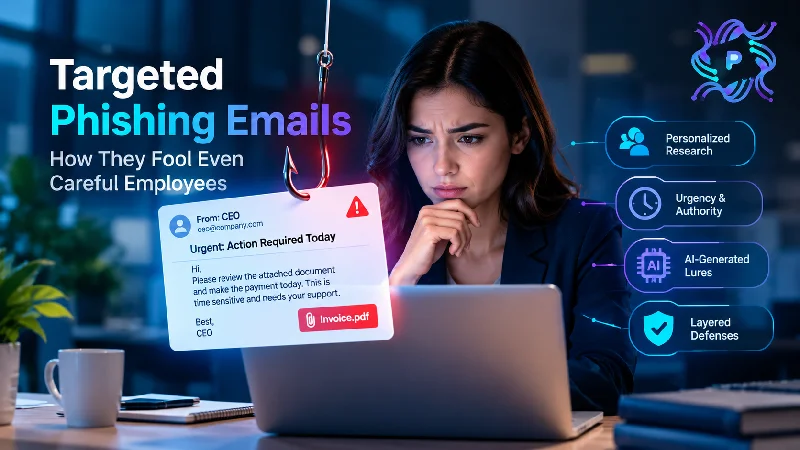
Targeted phishing exploits those ordinary limits. It arrives when someone is distracted, uses names and details that feel real, and asks for something that fits the person’s job. The sections below explain how research makes messages convincing, why urgency and authority cues work, how generative AI has changed the quality of lures, and which layered defenses protect people who are doing their best.
Careful People Still Have Limited Attention
Vigilance is a limited resource. An employee processes dozens or hundreds of messages a day, and most of them are legitimate. The brain learns to treat familiar patterns as safe, which is efficient and mostly correct. A message that matches the pattern of a normal request slips through that shortcut.
Context shapes judgment too. Someone expecting an invoice from a supplier will read a fake invoice as real. Someone waiting for a reply from a manager will trust a message that looks like it. Attackers don’t need to convince anyone of anything unusual, only to arrive when the real version would be welcome.
Cognitive load makes it worse. Deadlines, multitasking, travel, and reading on a narrow phone screen all reduce the chance of noticing details. On mobile devices, the full sender address and link destination are often hidden unless the user takes an extra step, so a well-timed message on a small screen may offer almost no clues.
None of this means training is pointless. It means expecting perfect vigilance is an unreliable strategy, and a system should assume a careful person will occasionally be fooled.
Consider a new accounts payable employee in her second week. She does not yet know which suppliers are real or what a typical request looks like, so a confident message from a senior name feels like guidance, and her wish to do well makes doubting it harder.
Research Makes Spear Phishing Attacks Convincing
Spear phishing attacks begin long before the first email. Attackers browse company websites, press releases, and professional networking profiles to map the organization. They learn who works in finance, who reports to whom, which projects have been announced, and which software vendors are used. Conference speaker lists and job postings add more detail.
That research feeds personalization. A message may refer to a real colleague by name, mention a recent product launch, or copy the signature and phrasing of a manager. It can arrive in a reply to an existing thread, if the attacker has already broken into a mailbox. The reader sees familiar context and has little reason to doubt it.
The most effective messages also copy a real workflow. An email that looks like a document-sharing notice from the tool the company actually uses, with a sign-in page that matches the company’s branding, feels routine. The employee has seen the same screen many times, so entering a password becomes a reflex.
Attackers sometimes warm up a target with harmless messages first. A friendly question, a meeting request, or a short exchange builds a relationship before the malicious request arrives. This slow approach can make spear phishing attacks especially hard to recognize because the first messages may contain nothing suspicious.
Urgency and Authority Do the Heavy Lifting
Pressure is the tool attackers use to shorten thinking time. A request marked urgent, tied to a deadline, or linked to a consequence encourages action before verification. Common framings include a payment that must be made today, an account that will be closed, a document needed before a meeting, or a customer who is waiting.
Authority adds weight. Employees tend to comply with requests from senior people, especially when the request seems trustworthy. A message that appears to be from the chief executive, asking for help with a confidential matter, makes questioning feel risky. Junior staff and new hires are most susceptible, because they are still learning who normally asks for what.
Secrecy reinforces both. A line such as “keep this between us” or “I am in a meeting and cannot take calls” removes the natural step of checking with a colleague. Real executives occasionally write such things, which gives the tactic cover.
Reciprocity and helpfulness also play roles. People like to be useful, and a polite request for a small favor is hard to decline. Attackers write in a courteous, collegial tone, not a threatening one. The more the message sounds like a colleague, the less likely people are to doubt it.
AI-Generated Lures Raise the Baseline
For years, awareness training advised employees to look for spelling mistakes, odd grammar, and clumsy phrasing. Generative AI tools weaken that advice. They can produce fluent, well-organized text in any tone, translate it into many languages, and endlessly rewrite it to evade filters.
AI also lowers the cost of personalization. With a few details gathered from public sources, a tool can draft a message in a particular executive’s style, reference real projects, and adapt the text for each recipient. What once required hours of manual effort can now be produced in minutes, expanding the number of people who can be targeted effectively.
The technology extends beyond email. Voice cloning and synthetic video have been used in attempts to impersonate executives during calls and meetings. A follow-up phone call that sounds like the chief financial officer may add credibility to a fraudulent email, making callbacks to known numbers more important than voice recognition.
The practical consequence is that polish is no longer a signal of legitimacy. Defenses must rely on the request itself, the channel, and the process, not on whether the message reads well.
Layered Defenses for People Who Are Doing Their Best
Because even careful employees can be fooled, the system around them needs to catch what they miss. Useful layers include:
- Email filtering tuned to detect impersonation, lookalike domains, and first-time senders asking for payments or credentials
- Phishing-resistant multi-factor authentication, which stops a stolen password from being enough
- Conditional access rules that challenge unusual sign-ins
- Verification procedures, such as callbacks and dual approval, for payment changes and sensitive requests
- Easy reporting, paired with fast removal of the message from other inboxes
- Monitoring for new mailbox rules, odd sign-ins, and unusual data downloads
Training still has a role, but its goals should be realistic. Teach people what a risky request looks like, give them an easy way to check, and thank them for reporting. Simulations that resemble real, role-specific attacks build better habits than generic examples.
Culture ties the layers together. If employees fear punishment, they hide clicks, and the security team loses the first hour when containment is easiest. When people feel safe saying “I think I made a mistake,” small incidents stay small. Leaders can reinforce that by sharing their own near misses and by treating reports as contributions.
READ: PlugboxLinux Contact | How to Get in Touch and Find Support
Final Analysis
Targeted phishing succeeds not because employees are careless but because the attacks are designed around human attention, trust, and helpfulness. Research, urgency, authority, and now AI-written text combine to make messages that match real work.
The sensible response is to stop depending on individual vigilance alone. Strong authentication, verification procedures, monitoring, and quick reporting reduce harm when someone is fooled, and supportive training keeps people engaged. Organizations that accept human limits and design around them survive an inevitable mistake.
A useful measure of progress is how quickly reports arrive after a message lands. When staff flags suspicious mail within minutes, the security team can contain it before others act on it, turning an individual’s moment of doubt into protection for the whole company.