
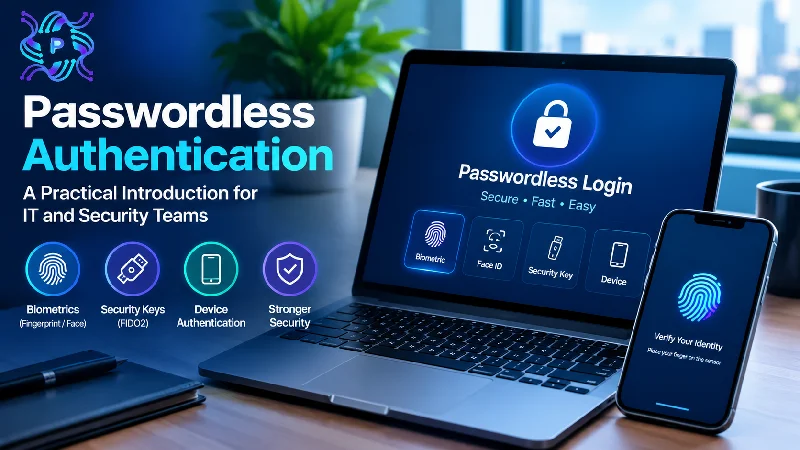
Passwords have lasted far longer than anyone intended. They are reused across sites, typed into convincing fake pages, guessed in bulk, and reset thousands of times a year by help desks. Security teams add rules about length, symbols, and rotation, and users respond with predictable variations that satisfy the rules without improving safety.
An alternative has moved from curiosity to a practical option. Passwordless sign-in replaces the shared secret with something the user has or is, bound to a device and verified cryptographically. This introduction explains what the approach means, which methods exist, what benefits to expect, and how to roll it out without leaving users stranded. It is written for IT and security teams weighing the first steps.
Why Passwords Keep Failing
Passwords fail because of their basic design. A password is a secret known to both the user and the service, so anyone who obtains it can impersonate the user from anywhere. Attackers can steal it in a service breach, capture it via a phishing page, harvest it with malware, or guess it if it is weak or reused.
Human behavior makes the problem worse. People maintain dozens or hundreds of accounts and cannot remember unique, strong passwords for each, so they reuse them or choose patterns. Attackers exploit this with credential stuffing, which tests leaked username-password pairs across many services at scale. Password managers help, but adoption is uneven.
Multi-factor authentication improved matters, though many second factors still depend on a password at the start and can be defeated. Codes sent by text message may be intercepted or socially engineered, and push approvals can be abused by repeatedly prompting a tired user. Attackers using real-time phishing kits can relay both the password and a one-time code to the genuine site.
Costs add up beyond security. Password resets consume help desk time, locked accounts interrupt work, and complex rules frustrate users. Reducing reliance on passwords addresses both the risk and the operational drag at once.
What Is Passwordless Authentication and How Does It Work?
So, what is passwordless authentication? It is a way of verifying identity without the user typing a memorized secret. Instead, the user proves possession of a registered device or credential, often released by a biometric or a local PIN, and the service verifies the proof using public key cryptography.
The core mechanism is a key pair. During enrollment, the user’s device generates a private key that stays on the device and a public key that is registered with the service. At sign-in, the service sends a challenge, the device signs it with the private key after the user confirms locally, and the service checks the signature with the public key. No shared secret travels over the network, so there is nothing for an attacker to steal from the service and reuse elsewhere.
Importantly, local verification does not mean the biometric leaves the device. Fingerprint or face data is used to release the private key on the device and is not sent to the service. This design also resists phishing, because the credential is bound to the genuine website or application, and a fake page cannot obtain a valid signature for the real one.
Understanding what is passwordless authentication also means recognizing what it is not: it is not simply an email link with weaker security, nor does it mean there is no authentication. It changes the form of the proof, often making it stronger.
Common Passwordless Methods
Several methods fall under the passwordless umbrella, with different strengths. Passkeys, based on the FIDO2 and WebAuthn standards, are the most widely discussed. They use device-bound or synced cryptographic keys and are supported by major operating systems, browsers, and platforms. Synced passkeys can move between a user’s devices through a platform account, which simplifies recovery but requires trust in that account’s security.
Hardware security keys are physical devices that store keys and require a touch or PIN. They offer strong, phishing-resistant authentication and suit administrators and high-risk users, though they must be distributed and managed.
Platform authenticators use built-in features such as fingerprint readers, face recognition, and secure hardware chips on laptops and phones. Windows Hello for Business is one example, tying a credential to a device and released by a biometric or PIN.
Certificate-based authentication uses digital certificates issued to devices or users, commonly for network access and enterprise applications. Authenticator apps with number matching or cryptographic push can reduce password use, though their phishing resistance varies by design. Email links and one-time codes sent by message are sometimes called passwordless, but they are generally weaker and depend on the security of the channel. Choose methods based on risk, user population, and device availability.
Benefits to Expect
The most important benefit is phishing resistance. Properly implemented standards-based methods tie authentication to the legitimate service, so a lookalike site cannot capture a reusable credential. This removes one of the most common routes into accounts.
Reduced credential theft follows. Because the service stores only public keys, a breach does not expose passwords that can be reused elsewhere. Credential stuffing becomes ineffective for accounts that no longer rely on passwords.
User experience often improves. Signing in with a fingerprint or a glance is faster than typing a long password, and users no longer need to remember or rotate secrets. Help desk burden typically falls as password resets decline, which saves staff time and reduces downtime for users.
There are governance benefits too. Stronger authentication supports compliance goals, and clearer device binding gives better audit trails about which device authenticated. Organizations should measure outcomes rather than assume them, tracking help desk tickets related to passwords, account takeover incidents, sign-in success rates, and user satisfaction before and after rollout.
Typical measures of success include:
- Fewer password reset tickets reaching the help desk
- Shorter sign-in times for common applications
- A falling share of accounts that still depend on passwords alone
- Fewer confirmed credential phishing incidents
Rollout Considerations
A successful rollout starts with an inventory of applications and identity providers. Determine which systems support modern standards, which rely on legacy protocols, and which still require passwords. Many organizations adopt passwordless first for applications that sit behind a central identity provider, then address older systems separately.
Consider devices and users. Check that endpoints have the necessary hardware, such as biometric sensors or secure chips, and that operating systems and browsers support the chosen methods. Shared workstations, kiosks, and frontline staff may need different solutions, such as hardware keys. Account for users without smartphones or with accessibility needs.
Recovery and fallback deserve careful design. Lost devices happen, and recovery processes are a common attack target. Define secure enrollment of backup methods, identity verification for resets, and limits on fallback to passwords. Weak recovery can undo the benefits of strong sign-in.
Pilot with a willing group, gather feedback, and refine communications and training. Expand in waves, starting with IT and security staff, then groups with lower complexity. Plan a path to removing passwords entirely where possible, with policies that stop users from reverting. Keep monitoring for problems, such as enrollment failures and unexpected prompts.
Final Analysis
Passwordless authentication replaces a shared, stealable secret with cryptographic proof tied to a device and the genuine service. The result is stronger resistance to phishing, fewer credential-based attacks, and a smoother experience for users and help desks.
Teams that approach it as a gradual program, beginning with an application inventory, a pilot group, and a carefully designed recovery process, can reduce password dependence step by step. The goal is not to eliminate every password overnight but to make the safest way to sign in also the easiest.
Organizations that treat the change as a gradual program, with clear metrics, honest communication, and a plan for the accounts that cannot move yet, tend to reach the end state with fewer surprises. Each retired password removes one more item an attacker can steal, guess, or trick a user into revealing.