
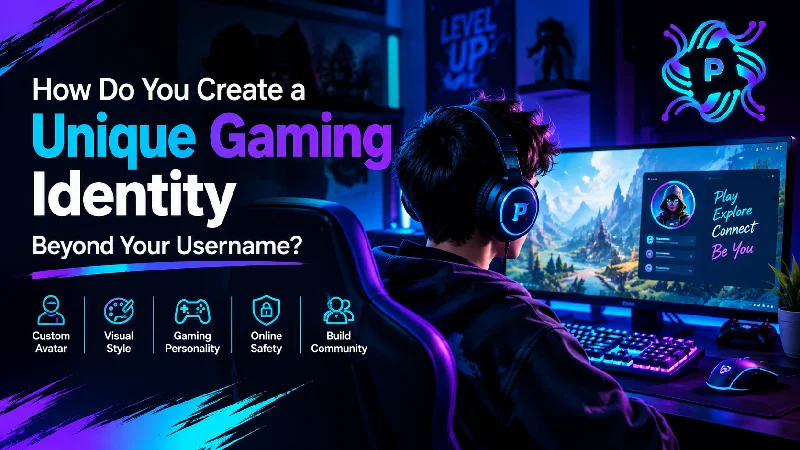
Your gaming identity is more than a username on a screen. It reflects your personality, playstyle, creativity, and the way other players remember you. Whether you enjoy competitive multiplayer games, casual adventures, or online gaming communities, a unique identity helps you stand out and connect with others. By combining a custom avatar, consistent visual style, and positive online behavior, you can build a recognizable presence that goes far beyond your gamer tag.
What Is a Gaming Identity, and Why Does It Matter?
A gaming identity combines visual, personal, and social elements that represent you in gaming spaces. It includes your username, avatar, profile design, achievements, communication style, and how you interact with other players.
Think about the gamers you recognize instantly. You might remember their profile pictures, favorite characters, signature colors, or the way they communicate during matches. These small details work together to create a memorable identity.
A strong gaming identity also helps you connect with people who share your interests. For example, someone who enjoys Linux gaming, open-source tools, and PC customization might reflect those interests through their profile design. Meanwhile, a competitive player might choose a clean, bold appearance that matches their serious approach.
Your identity does not need to look professional or expensive. It simply needs to feel genuine and consistent.
Key Takeaway: A gaming identity combines your appearance, interests, personality, and behavior to help others recognize and remember you.
How Can You Create an Avatar That Represents Your Personality?
One of the easiest ways to develop a recognizable gaming identity is to create an avatar that reflects who you are. Your avatar acts as your visual signature across gaming platforms, community forums, and social profiles.
An avatar is a digital image or character that represents a user in an online environment. It might be a cartoon face, a futuristic warrior, a pixel-art character, or an abstract symbol.
Key Takeaway: An avatar is your digital representation, and its design can communicate your interests and personality before you interact with other players.
Choose a Visual Style That Matches Your Interests
Start by thinking about the games you enjoy and the image you want to present.
For example, an RPG enthusiast might prefer a fantasy-inspired character with magical details. A retro gaming fan could choose pixel art, while a competitive shooter player might prefer a minimalist design with sharp lines and bold colors.
Consider these popular styles:
- Pixel art: Great for retro gaming fans and nostalgic designs.
- Cartoon illustrations: Great for friendly, expressive personalities.
- Cyberpunk characters: Ideal for futuristic and technology-focused themes.
- Minimalist icons: Useful for a simple, modern, and recognizable identity.
- Fantasy characters: A natural choice for RPG and adventure enthusiasts.
Choose a design you genuinely enjoy rather than copying whatever happens to be popular.
Personalize Your Avatar With Distinctive Features
Once you choose a style, add features that make your character different.
Use unusual color combinations, unique accessories, custom clothing, or a symbol tied to your interests. For instance, a technology enthusiast might add circuit patterns, a terminal-inspired background, or subtle references to open-source computing.
Pay attention to how the image looks at smaller sizes. Gaming platforms often display profile pictures as tiny circles or squares, so complicated details may disappear.
A simple character with a recognizable silhouette often works better than an overly detailed illustration.
Key Takeaway: Choose an avatar style that fits your interests, then add distinctive features that remain recognizable even at small sizes.
How Do Colors and Visual Themes Shape Your Gaming Identity?
Colors influence how people recognize a profile. They also help create a consistent visual connection between your avatar, banners, gaming overlays, and other online graphics.
You do not need advanced graphic design knowledge to develop a visual theme. Start with two or three colors that match your personality and gaming interests.
For example, black and neon green can create a futuristic technology-inspired look. Blue and white can feel clean and modern, while purple and orange can feel playful and energetic.
Build a Simple Gaming Color Palette
Follow these steps to create a visual theme:
- Choose a primary color: Use it for the most recognizable parts of your identity.
- Select a supporting color: Add contrast without making the design too busy.
- Include a neutral shade: Black, white, or gray can balance brighter colors.
- Apply the palette consistently: Use similar colors in your avatar, profile banners, and stream graphics.
- Check readability: Make sure text and important icons remain clear against their backgrounds.
Readable text is especially important when designing banners and profile graphics. The W3C guidance on color contrast explains how suitable contrast helps people read digital content.
Consistency matters more than complexity. A simple design used across several platforms can become more recognizable than several unrelated graphics.
Key Takeaway: A consistent color palette and clear visual design make your gaming identity easier to recognize across different platforms.
How Can Your Gaming Personality Make You Stand Out?
Your gaming identity is not limited to graphics. The way you play, communicate, and interact with others can leave an even stronger impression.
Some players become known for their strategic thinking. Others stand out by helping beginners, sharing useful tips, or bringing humor to challenging matches.
You can develop a recognizable personality without pretending to be someone else.
Build Your Identity Around Your Natural Strengths
Consider what makes your gaming experience unique.
Perhaps you enjoy explaining complicated game mechanics in simple language. You might specialize in building unusual Minecraft structures, improving performance on Linux systems, or discovering hidden details in open-world games.
These interests can become part of your identity.
For example, a player who regularly shares Linux gaming performance tips could use technology-inspired profile graphics and participate in discussions about graphics drivers, game compatibility, and system optimization.
Readers interested in these topics can also explore gaming and technology discussions on PB Linux Tech Blogs.
The goal is to connect your interests, appearance, and actions naturally.
Develop Positive Communication Habits
Your behavior also shapes how people remember you.
Respectful communication, fair play, and helpful advice can build trust within gaming communities. You do not need to win every match or dominate every conversation to earn recognition.
Instead, focus on being consistent. Congratulate teammates, share knowledge when appropriate, and handle disagreements calmly.
Over time, these habits can become part of your reputation.
Key Takeaway: Your gaming personality becomes memorable when your interests, strengths, and interactions consistently reflect who you are.
How Do You Maintain a Consistent Identity Across Gaming Platforms?
Many gamers use several platforms, including Steam, Discord, Twitch, and game-specific communities. Each platform offers different profile customization options, which can make it challenging to maintain a consistent identity.
You can solve this problem by creating a simple personal style guide.
A personal style guide is a short set of rules that defines how your profile should look and sound across online platforms.
It might include your preferred username format, avatar, color palette, short biography, and general communication style.
Follow a Basic Profile Consistency Checklist
- Use the same avatar or closely related variations where possible.
- Keep your primary colors consistent.
- Write a short bio that reflects your gaming interests.
- Choose usernames that are easy to connect across platforms.
- Use similar design elements for banners and other graphics.
- Update outdated profile information when your interests change.
For instance, imagine a gamer who uses a purple robotic fox as their avatar. They could use the same character on Discord, a matching profile image on Steam, and a related banner on Twitch.
Even when platform requirements differ, the visual connection remains clear.
However, consistency does not mean sharing every personal detail everywhere. You can maintain a recognizable public gaming identity while keeping private accounts separate.
Key Takeaway: Using related avatars, colors, usernames, and profile descriptions helps people recognize you across gaming communities.
Which Tools Can Help You Design a Custom Gaming Identity?
You don’t need expensive software or professional design skills to create attractive gaming graphics. Several accessible tools support custom artwork, image editing, and profile design.
If you want to create an avatar from scratch, start with a simple sketch or basic shape and develop it gradually. Use digital art software to adjust colors, add accessories, and prepare the final image.
Explore Different Design Tools
GIMP is a free, open-source image editor that supports layers, filters, transparency, and detailed image adjustments. It can help you edit profile pictures or combine different graphic elements.
Inkscape is another open-source option. It focuses on vector graphics, which use mathematical shapes rather than fixed pixels. This makes it useful for creating icons and logos that can scale without losing sharpness.
Krita is well suited to digital painting and illustration. Its drawing tools can help you develop cartoon avatars, fantasy characters, and original gaming artwork.
For Linux gamers, these applications offer useful ways to explore creative design without relying entirely on proprietary software.
Export Your Graphics Correctly
Before uploading your graphics, check the platform’s recommended dimensions and supported file formats.
PNG works well for images that need transparency, while JPEG suits detailed pictures without transparent areas. SVG works well for scalable vector designs, though many gaming platforms require you to export an SVG as a PNG before uploading.
Keep an original editable copy of your design. That way, you can adjust its size or colors later without starting again.
Key Takeaway: Open-source creative tools can help you design and edit original gaming graphics while keeping control over your visual style.
How Can You Protect Your Privacy While Building a Gaming Identity?
Creating a distinctive online presence should not require giving up your privacy.
Gaming communities often connect people from different backgrounds, and public profiles can remain visible for years. So, think carefully about which personal details you share.
Avoid putting sensitive information, such as your home address, phone number, school, or private email address, in public gaming profiles.
Also consider whether you need to link your gaming identity to personal social media accounts.
Follow Simple Gaming Privacy Practices
Use strong, unique passwords for important accounts and enable multifactor authentication where available. Review privacy controls on gaming platforms and limit unwanted messages or friend requests when needed.
Be careful with screenshots as well. Images can sometimes reveal account names, notifications, private messages, or other information you did not intend to share.
If you use an illustrated avatar, you can stay recognizable without uploading a personal photo.
For more detailed guidance, the Electronic Frontier Foundation’s Surveillance Self-Defense resources explain practical ways to protect personal information online.
Privacy is not the opposite of visibility. You can build a memorable gaming identity while maintaining clear boundaries between your public persona and personal life.
Key Takeaway: Protect your gaming identity with strong account security, privacy controls, and careful choices about personal information.
What Common Mistakes Should You Avoid When Creating a Gaming Identity?
A unique gaming identity takes thought, but it doesn’t need to be complicated.
One common mistake is copying another player’s avatar, logo, or overall style too closely. Inspiration helps, but direct imitation makes it harder to build a recognizable presence. It may also create copyright or community guideline issues.
Another mistake is changing your entire profile design too frequently. Experimenting is healthy, but constant changes can make you hard to recognize.
Overcomplicated designs can also cause problems. Small profile images do not provide much space for detailed graphics, so excessive text, symbols, and effects may reduce clarity.
Finally, avoid building an unnatural personality. A gaming identity should support your interests rather than force you into a character you struggle to maintain.
Improve Your Identity Through Small Changes
Instead of redesigning everything at once, review your profile every few months.
Ask yourself whether your avatar still reflects your interests, whether your graphics remain clear, and whether your online behavior matches the reputation you want to build.
Keep the elements that work and refine the ones that do not.
Key Takeaway: Avoid copying other players, overcomplicating designs, and changing your identity too often. Focus on originality, clarity, and gradual improvement.
Frequently Asked Questions
1. How do I make my gaming identity unique?
Combine a personalized avatar, consistent colors, authentic interests, and recognizable communication habits. Your identity should reflect your personality, not imitate another player.
Quick Answer: Original visuals and genuine behavior make a gaming identity unique.
2. Can I create a gaming avatar without design experience?
Yes. Beginner-friendly design tools, simple shapes, and customizable artwork make it possible to develop a distinctive avatar. Start with a basic concept and improve it over time.
Quick Answer: You can create a recognizable avatar using simple design techniques and accessible editing tools.
3. Should I use the same avatar on every gaming platform?
Using the same avatar can improve recognition, but it is not required. Closely related designs with consistent colors and character features can work just as well.
Quick Answer: Use the same avatar or similar visual elements to maintain a consistent gaming presence.
4. How can I build a gaming identity without revealing my real name?
Choose a unique gamer tag, use an illustrated avatar, and avoid sharing sensitive personal details. Keep public gaming profiles separate from private accounts when appropriate.
Quick Answer: A pseudonym, custom graphics, and sensible privacy settings help protect your personal identity.
5. Does a gaming identity matter for casual players?
Yes. Even casual players benefit from recognizable profiles that express their interests and help friends identify them in online communities.
Quick Answer: A gaming identity can improve self-expression and recognition, regardless of gaming skill or experience.
Conclusion: Build a Gaming Identity That Feels Like You
A memorable gaming identity comes from more than choosing an interesting username. Your avatar, visual style, gaming interests, communication habits, and online reputation all contribute to how others recognize you.
Start with a simple design that reflects your personality. Choose consistent colors, develop your own visual features, and use creative tools to refine your profile. At the same time, protect your privacy and focus on positive interactions within gaming communities.
You do not need expensive software, advanced design skills, or a large online following to stand out. A thoughtful and authentic identity can make even a simple gaming profile memorable.
Final Takeaway: Build a unique gaming identity by combining original avatar design, consistent visual branding, authentic personality, and responsible online behavior. The goal is to create a recognizable presence that reflects who you are and grows naturally with your gaming experience.